Thank you for sending your enquiry! One of our team members will contact you shortly.
Thank you for sending your booking! One of our team members will contact you shortly.
Duration 105 hours
Course Outline
Introduction
Week 1: Introduction to Mobile Development
- Mobile App Ecosystem and Trends
- Introduction to the mobile app landscape (iOS and Android).
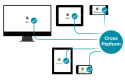
- Differences between native, hybrid, and cross-platform apps.
- Overview of mobile app development workflow and tools.
- Native vs Cross-Platform Development
- Key differences between developing apps for a single platform (native) and multiple platforms (cross-platform).
- Advantages and disadvantages of each approach.
- Overview of common native platforms (iOS, Android) and cross-platform tools (React Native, Flutter).
- Introduction to JavaScript Programming
- Basic syntax and structure of JavaScript.
- Variables, constants, and data types (number, string, boolean, object).
- Operators and expressions.
- Control flow:
if,else,switch. - Introduction to functions and scoping (global vs local scope).
- Setting up Xcode for iOS Development
- Introduction to the Xcode IDE: Interface, tools, and workflow.
- Installing Xcode and running the iOS simulator.
- Introduction to Swift programming language.
- Writing a basic Swift app and running it on the iOS simulator.
- Setting up Android Studio for Android Development
- Installing Android Studio and setting up the environment.
- Configuring and using the Android Emulator.
- Introduction to Kotlin programming language and basic syntax.
- Writing a basic Kotlin app and running it on the Android emulator.
- Setting up React Native Development Environment
- Installing Node.js and React Native CLI.
- Introduction to Expo and creating a project with Expo.
- Running a simple "Hello World" app on both iOS and Android emulators.
Week 2: iOS and Android Fundamentals
- Introduction to Swift and Xcode IDE
- Variables and data types in Swift (Int, Float, String, Bool, etc.).
- Constants with
letand variables withvar. - Control flow statements (
if,switch, loops). - Functions and parameters in Swift.
- Error handling in Swift.
- User Interface Design in iOS
- Introduction to storyboards and Xcode Interface Builder.
- Designing app layouts using Auto Layout and constraints.
- Adding UI components: buttons, labels, text fields, images.
- Handling user interactions and events (e.g., button clicks).
- Building a simple login form and validating user input.
- Introduction to Kotlin and Android Studio IDE
- Basic Kotlin syntax (variables, data types, and functions).
- Understanding Kotlin’s null safety and data classes.
- Introduction to Android app architecture and components (Activities, Fragments).
- Handling the activity lifecycle in Android apps.
- User Interface Design in Android
- Designing Android UIs using XML layout files.
- Working with layout managers (LinearLayout, RelativeLayout, ConstraintLayout).
- Adding interactive components (buttons, text views, edit texts).
- Using Java/Kotlin to handle user input and activity transitions.
- Building a login form with input validation.
- Debugging Basics in Xcode and Android Studio
- How to use breakpoints, logs, and the debugger console.
- Common debugging tools and techniques for iOS (Xcode Instruments, Simulator).
- Common debugging tools for Android (Logcat, Android Debug Bridge).
- Testing and Running Apps on Real Devices
- Connecting physical devices to Xcode and Android Studio.
- Deploying apps to physical devices (iPhones and Android phones).
- Simulating different network conditions, battery levels, and performance metrics.
Week 3: Cross-Platform Development with React Native
- Introduction to React Native and JavaScript for Mobile
- What is React Native and why use it?
- Overview of how React Native translates JavaScript into native code.
- JSX Syntax: Writing HTML-like structures in JavaScript.
- React components: Functional vs Class-based components.
- State and Props: Managing data flow within React Native components.
- Styling in React Native
- Introduction to Flexbox and its importance in layout design.
- Creating responsive layouts for both iOS and Android.
- Applying platform-specific styling using React Native's
Platformmodule.
- React Navigation for Cross-Platform Apps
- Introduction to React Navigation and navigation containers.
- Creating Stack Navigation for screen transitions.
- Implementing Tab and Drawer navigation for more complex apps.
- Passing data between screens and managing navigation states.
- Accessing Native Device Features
- Using device features such as the camera and location in React Native.
- Integrating APIs like Geolocation, Camera, and AsyncStorage.
- Handling permissions for accessing device hardware (iOS and Android differences).
- Storing data locally with AsyncStorage and integrating third-party libraries for persistence.
- Preparing Apps for Deployment
- Configuring app settings for production in Xcode and Android Studio.
- Building APKs for Android and testing on real devices.
- Preparing iOS apps for App Store submission (app icons, signing certificates).
- Finalizing React Native projects for production deployment on both platforms.
- Final Project Presentation
- Showcasing the final cross-platform React Native app to the class.
- Gathering feedback and discussing potential improvements.
- Final Q&A session and closing remarks.
Summary and Next Steps
Requirements
- Fundamental understanding of programming concepts.
Audience
- Mobile developers.
- Programmers.
Testimonials (3)
Everything is ok.
Adrian Rybka - SEOyon
Course - Flutter Development Bootcamp with Dart
Very usefull additional informations
Grzegorz - Comp S.A.
Course - BLoC Pattern
Developing the User Auth App and the kahoot activity (made myself sure that i'm absorbing the training lectures :) and its fun!)